

The games are already on your Android phone. gameX: Play Companion does not play them. It keeps a library of those games, times each session, and lets you log a win or a loss. Tracking inside the app is free. A compact panel can sit on the game you launched, after you unlock it.
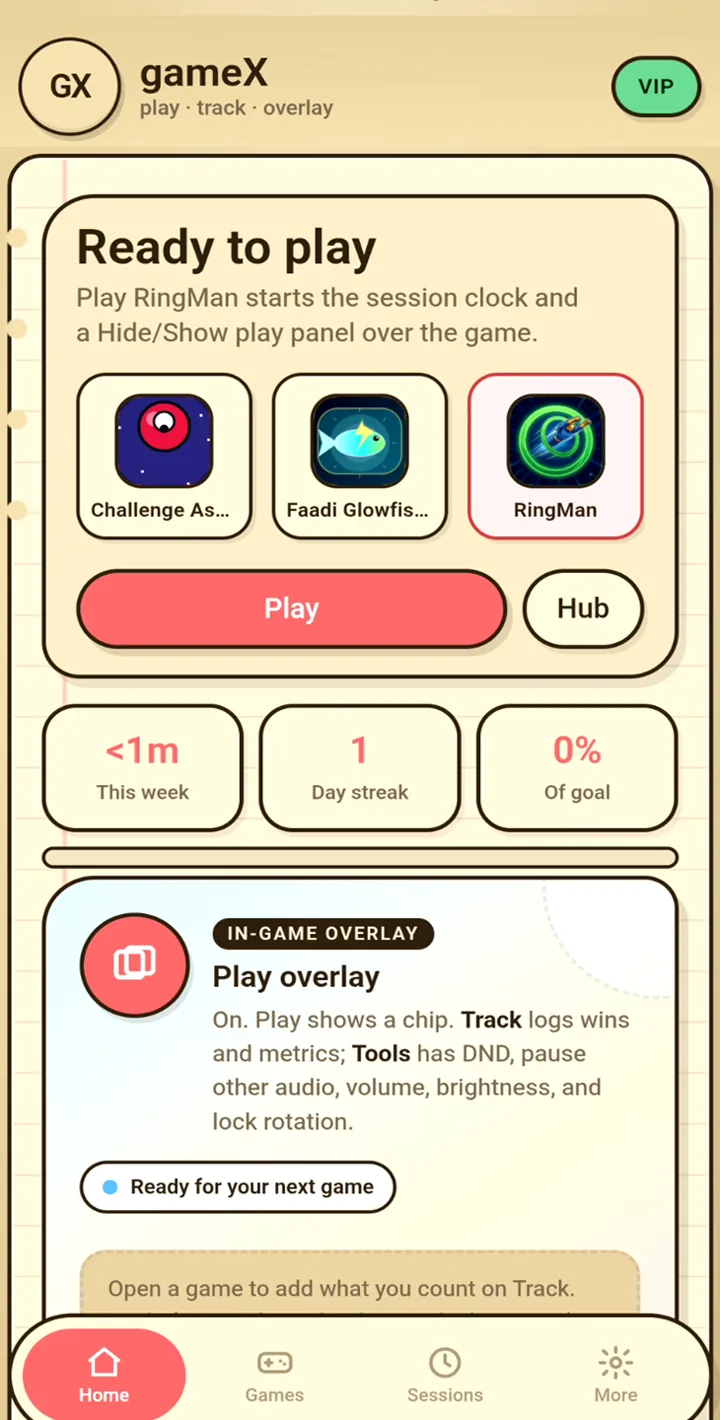
Add the games already on your phone
Open Games and add a title by hand, or tap Import games from this device. That list is the apps already on this phone. You tick the ones you want to track. gameX is not a store, and it does not install games.
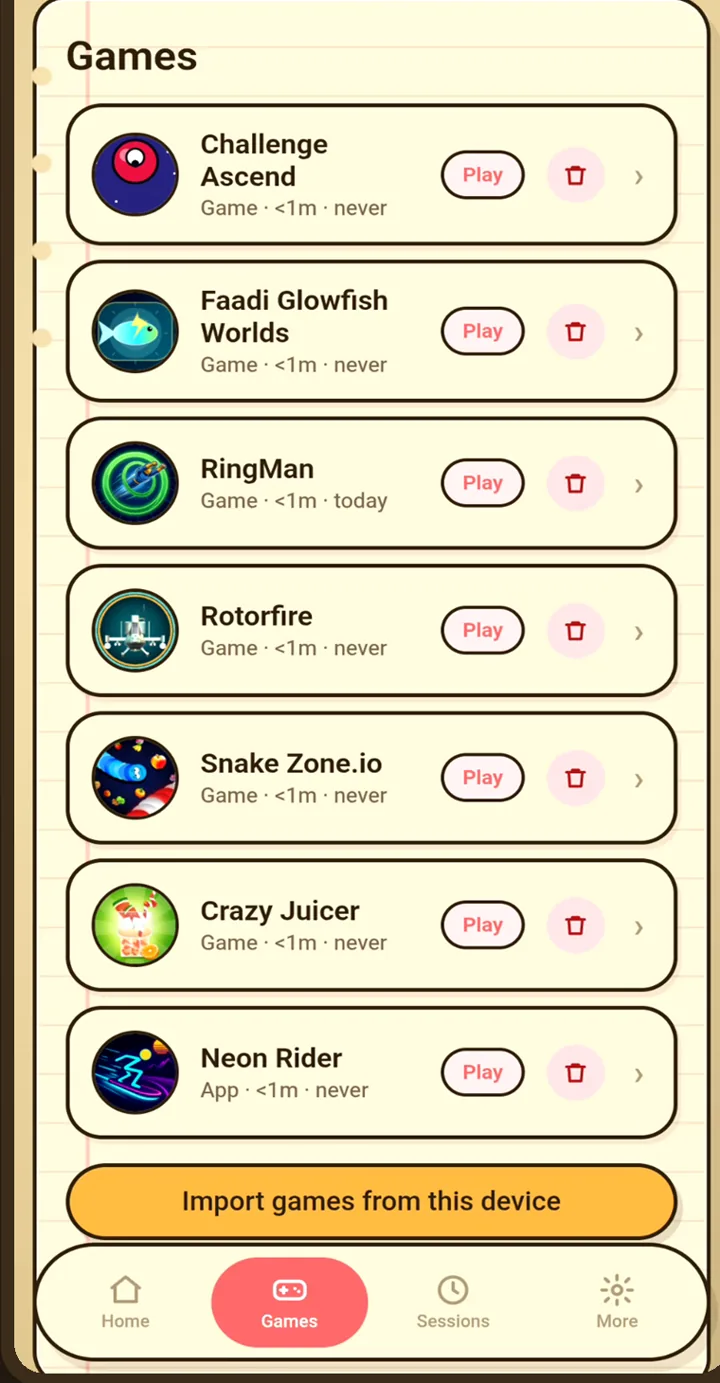
For each game you can set the name, a genre, and whether wins and losses are logged. Notes, combo steps, and a personal trophy list can sit with that game. The trophy list is yours. It is not a Steam or Play Games import.
Time a session and write down the result
Play, on Home or on a game, launches that game and starts the clock. A session is one timed block for one game. When you stop, gameX saves how long you played, the win or loss, and a note if you add one. You can also add a past session by typing the minutes yourself.
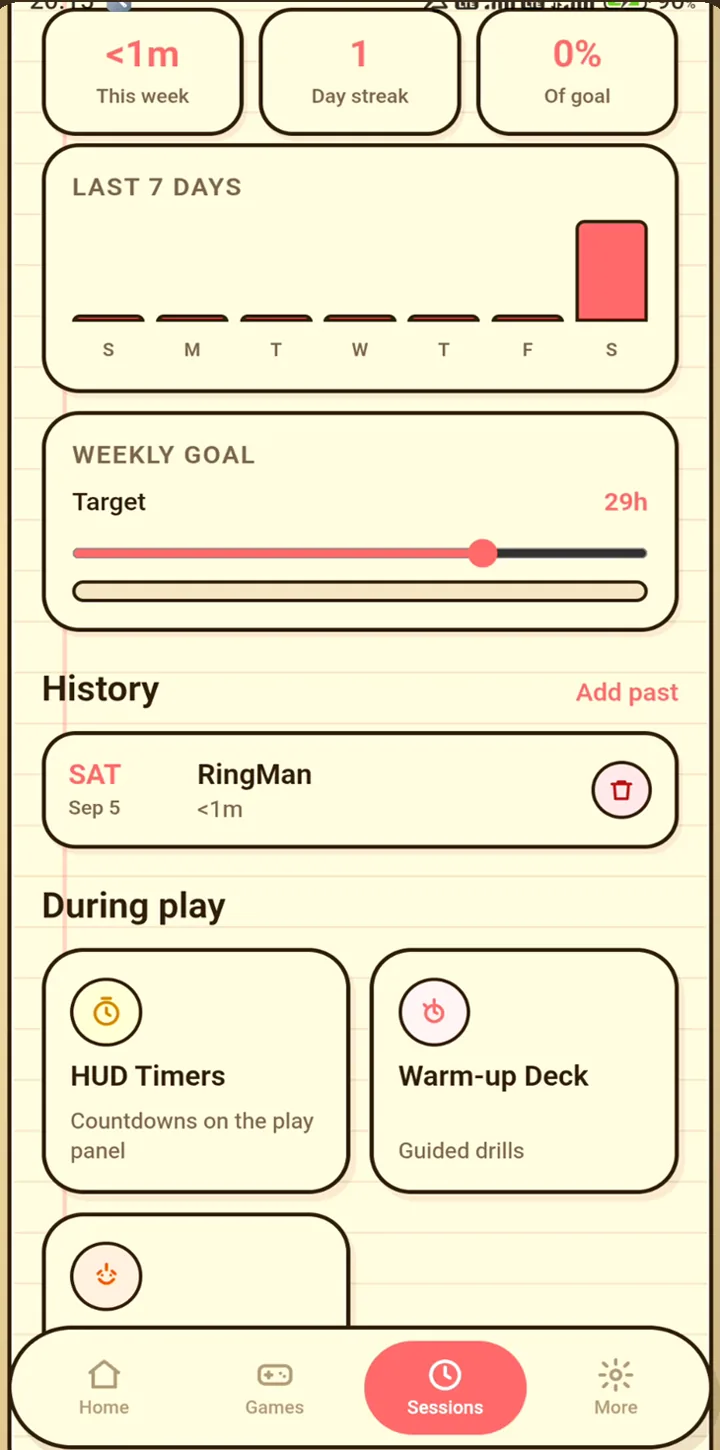
A new install sets a weekly goal of 300 minutes. You can change that goal. Home shows the week’s time, a streak, and the goal.
What the overlay does
The overlay is a small panel over the game you are playing. From it you can mark a win or a loss, run a saved timer, and reach a few device controls, including Do Not Disturb, brightness, and orientation lock. Stop ends the session without opening gameX first.
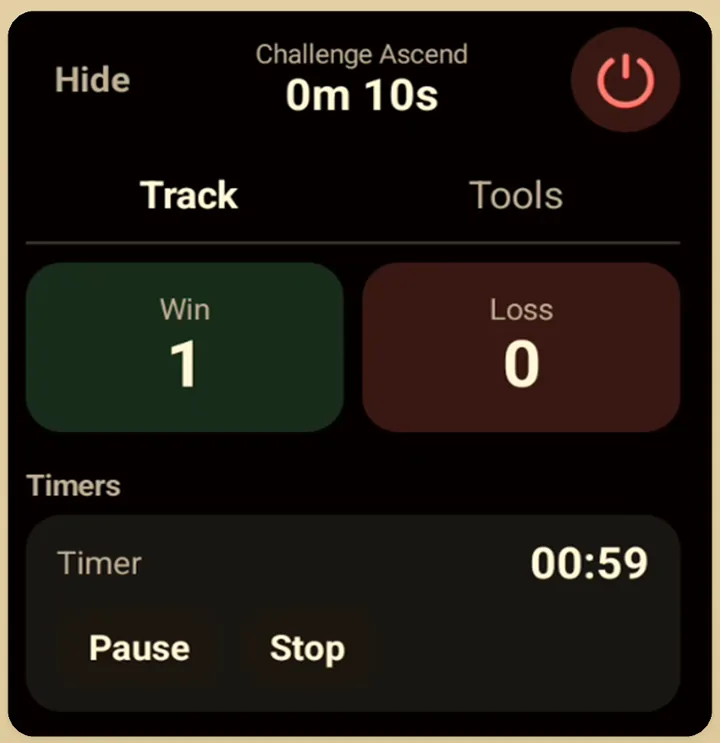
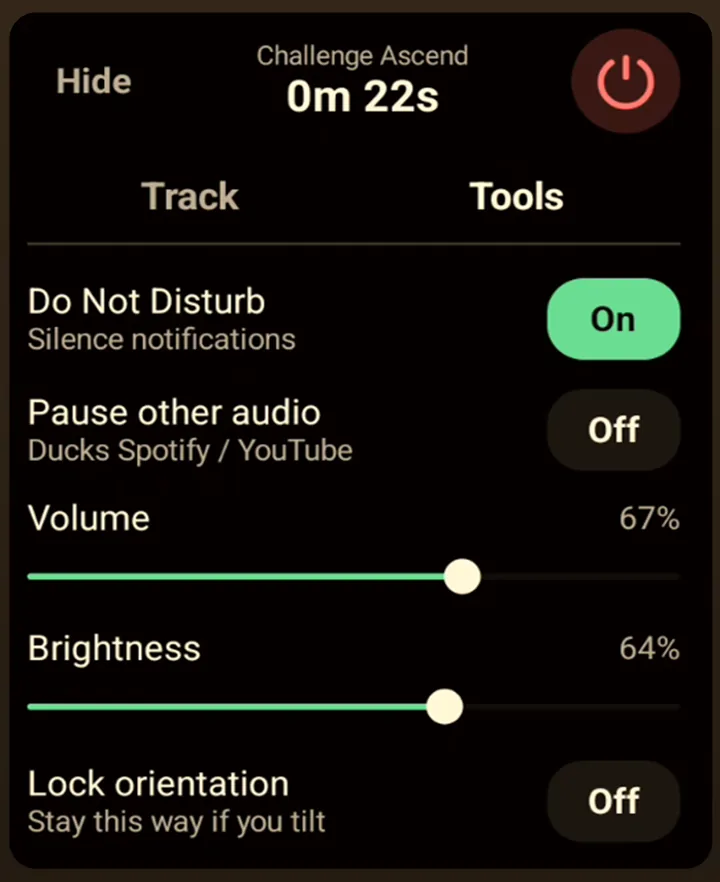
Android must allow gameX to display over other apps. That permission is not the same as unlocking the overlay. A finished reward video unlocks the overlay for 3 hours. Closing the video early does not. gameX VIP leaves the overlay on. The panel cannot read another game’s frame rate, and it cannot read in-game ping.
Tools that stay on the phone
More holds tools that stay inside gameX. Loadout Notes are notes for one game. Combo Cards are numbered steps you can walk through one at a time. Warm-up Deck runs timed drills. Trophy Desk is your own checklist. Party Tools can split teams, pick an order, or keep a scoreboard, and they work offline.
Night Shade warms the screen inside gameX only. It does not tint the game you launched. Focus Mode can keep the gameX screen awake and start a tracked session. Pausing other audio ducks music apps. It does not change the game’s own volume.
What stays free
The library, sessions, notes, and those tools are free. Ads can show unless you have gameX VIP. VIP is a yearly purchase through Google Play, and the price is the one Play shows for your account. You can cancel it in Play.
gameX needs Android 6 or newer. It does not sync a library to the cloud, and it does not run on iPhone or a PC.