

PictureEcho is worth trying when the extra photos are on the Android phone: exact copies, bursts, and screenshots that look alike. Exact and Similar are separate scans. The photos stay on the device, and nothing is deleted until you confirm it.
Exact copies and similar photos
Exact Scan is for copies the app treats as the same file. Similar Scan is for photos that are different files but look alike, such as a burst or an edited copy. The threshold appears only for Similar. Exact hides it.
Scan the albums that are cluttered
All photos scans the gallery. Pick albums limits the scan to the albums you choose, which helps when the clutter is in one place. The album count in the picture is that session, not a limit.
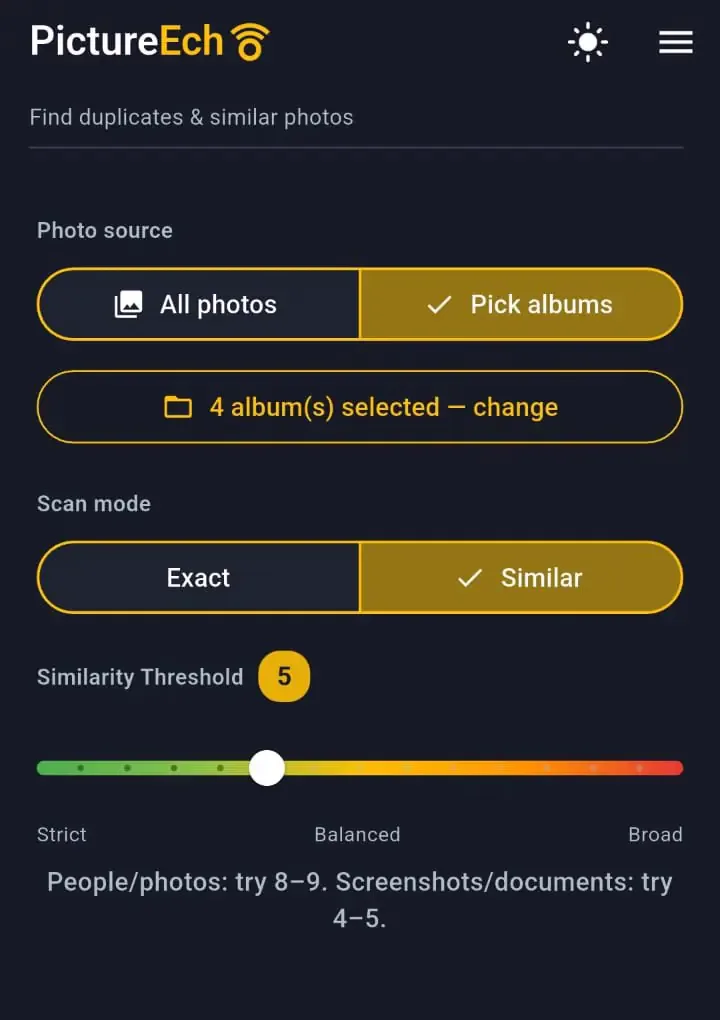
A higher number sits toward Broad and can group photos that only look related. The hint on the screen is the useful start: 8–9 for people and photos, and 4–5 for screenshots and documents.
The video shows that album choice for similar photos, instead of one setting for the whole gallery.
Choose which photo to keep
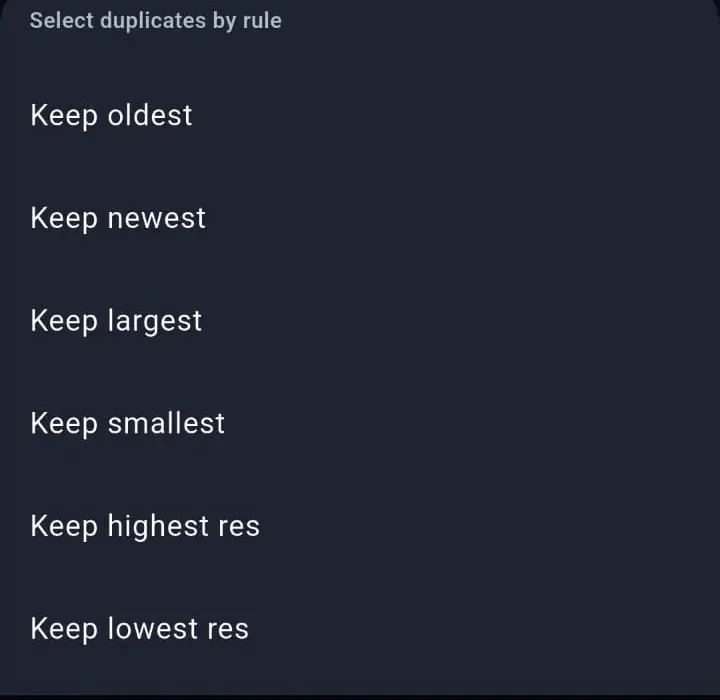
Each group is the set that matched. Leave one photo selected yourself, or apply a keep rule. The rule leaves one photo unselected in each group, and you can change that selection before anything is deleted.
Delete is permanent
PictureEcho asks you to confirm. That warning says the delete cannot be undone. Android may ask again. There is no Recycle Bin. The last photo in a group stays, so the extras can go without removing the only remaining copy.
The scan reads JPEG, PNG, GIF, HEIC, WebP, BMP, and TIFF photos on the phone. It does not scan the Google Photos library in the cloud.